
Track Every Action with
LastActivityView
LastActivityView gives you a clear, organized view of recent system events, file operations, and process activity on your computer. Lightweight, fast, and designed for clarity.
Lightweight
Secure by design
Fast scanning
Works on modern systems
About LastActivityView
We are a team of software enthusiasts dedicated to building tools that help users understand their systems better. Our mission is simple: provide clear, reliable, and easy to use utilities that respect your privacy and deliver real value.
LastActivityView was born from a need to quickly see what happened on a computer without digging through scattered log files. Whether you are a system administrator, a security conscious user, or simply curious about your device's recent behavior, this tool offers a clean interface and actionable insights.
We believe in transparency, accuracy, and user-first design. Our software is built with care, tested thoroughly, and maintained with the goal of continuous improvement based on real user feedback.
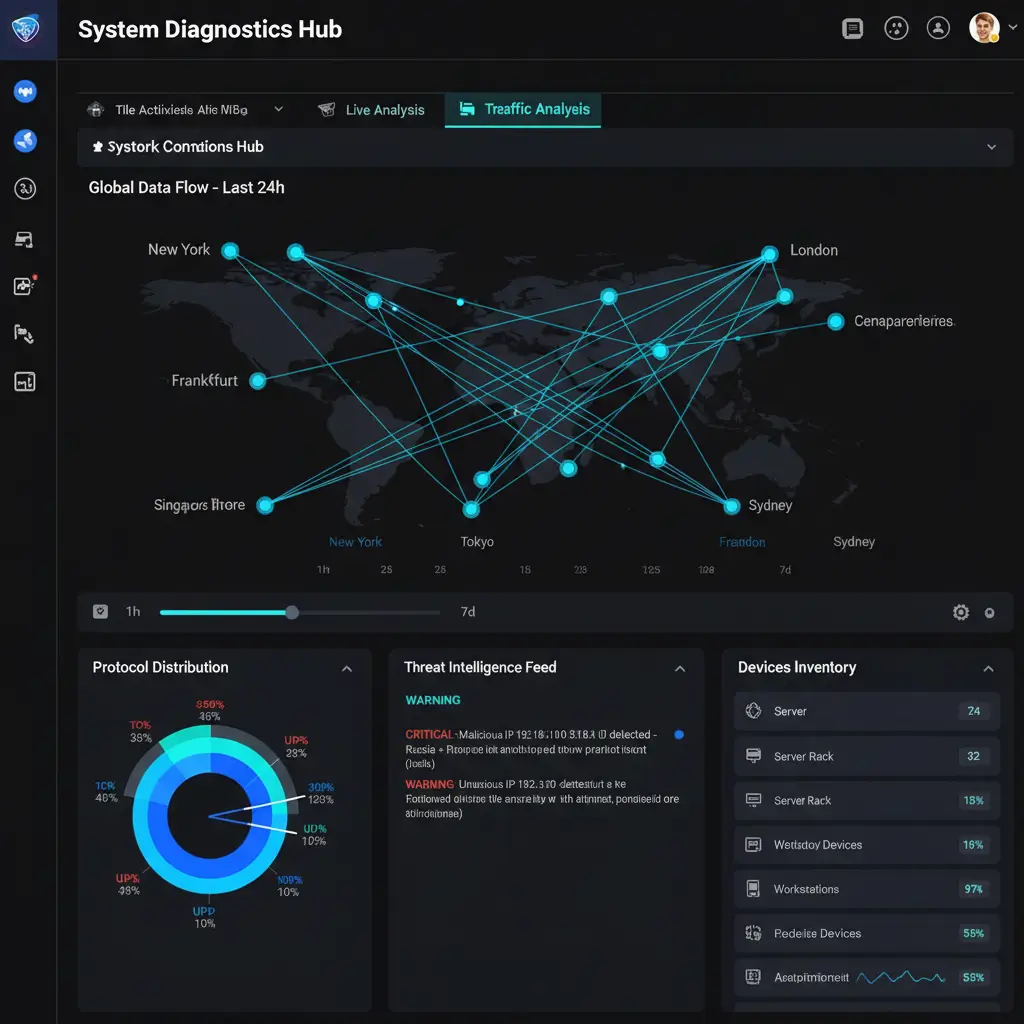
User-first
Built for real people
Focused
One tool, done right
Fast
Results in seconds
Key Features of LastActivityView
Packed with powerful capabilities to help you understand system activity, LastActivityView delivers a clean experience with professional grade functionality.
Recent Activity Timeline
View a chronological list of recent events, including file access, program launches, and system changes.
File Operation Logs
Track file creation, modification, and deletion events in a clear and organized format.
Quick Search and Filter
Find specific events instantly with built-in search and category filters.
Privacy Focused Design
All scanning happens locally on your machine. No data leaves your device.
Activity Summary Charts
Visual overview of activity patterns helps you spot trends and unusual behavior at a glance.
Customizable Display
Choose which columns to show, sort by any field, and adjust the view to match your workflow.
Real Time Monitoring
Watch system events as they happen with an auto-refresh mode for live tracking.
Export and Save Reports
Save activity logs as CSV or text files for documentation and future reference.
Multi Drive Support
Scan activity across multiple drives and partitions for a complete picture of your system.
Built for Transparency and Trust
We are a small team of software enthusiasts dedicated to building simple, effective tools that help users understand their systems better. Our mission is to provide reliable, free utilities that respect your privacy and make system monitoring accessible to everyone.
Our tools are designed with clarity in mind. We believe that every computer user deserves easy access to information about their own system activity. That is why we focus on creating software that is straightforward, lightweight, and genuinely useful.
With years of experience in system utilities and a commitment to quality, we strive to deliver products that professionals and everyday users alike can rely on. We do not collect personal data, and we do not bundle unwanted software with our downloads.

How To Download LastActivityView
Getting started with LastActivityView is quick and easy. Follow these steps to safely download and run the tool on your system.
Visit the Official Source 1
Official website ya trusted repository par jao aur confirm karo ke page original hai.
Check System Requirement2
Download se pehle ensure karo ke aap ka system (Windows/macOS) compatible hai aur required permissions available hain.
Click the Download Link 3
Primary download button par click karo aur file size ko page par diya hua size se match karo.
Extract the Archive4
ZIP file ko “Extract All” se extract karo aur easy location select karo (Desktop ya Documents).
Run the Application 5
Extracted folder se main executable file open karo—portable tool ho to installation ki zaroorat nahi hoti.
Verify the Download 6
Download page par diya hua hash (SHA/MD5) apni file ke hash se match karke confirm karo ke file tamper nahi hui.
Download Checklist
- Verify you are downloading from the official source safely now
- Check the file size matches listed on downloadable webpage now
- Extract the archives to a dedicated folders safely soon please
- Scan the saved files with your security software now installed
- Execute the executable as one standard user first today please
- If needed try running as administrator for deeper scan results
Download Checklist
- Warning: Avoid These Mistakes
- Downloading from unofficial third party mirror sites
- Skipping antivirus scanning before running new executables
- Deleting system files that appear in the activity log
Taking a few extra seconds to verify your download source and check file integrity goes a long way toward keeping your system safe. The software itself does not modify any system files or settings. It only reads data that is already available on your computer.
Interactive Live Demo
LastActivityView lets you explore system activity with ease. Switch between quick summaries and detailed views using safe mock data, so no real information is ever shown.
18
User Logins
7
Software Installs
12
System Startups
11
Shutdowns
34
Network Events
5
USB Connections
How It Works: A Detailed Explanation
When you launch LastActivityView, it performs a quick scan of multiple data sources available on your Windows system. These include the Windows Event Log, the Prefetch folder, the registry, and other areas where the operating system stores records of recent activity.
The tool does not install any drivers or services. It simply reads the existing data and compiles it into a unified view. This approach is both safer and faster than tools that require deep system hooks or background monitoring.
Common Use Cases
System administrators use this tool to quickly audit workstation activity without deploying complex monitoring software. Home users find it helpful for understanding what happened on a shared family computer. IT support teams use it to gather diagnostic information before troubleshooting.
Feature Area Breakdown
Privacy & AccuracyYou Can Trust
LastActivityView privacy keeps your activity data completely secure by working only on your local machine. The tool does not need an internet connection, does not send data to external servers, and never collects personal information. Every detail you see is taken directly from Windows system logs, giving you clear and reliable insights while maintaining full privacy and total control over your data.
Browser Compatibility
LastActivityView lets you explore system activity with ease. Switch between quick summaries and detailed views using safe mock data, so no real information is ever shown.

Google Chrome
Fully compatible with all modern Chrome versions. Downloads and page rendering work seamlessly.

Mozilla Firefox
Works perfectly on Firefox. All download links and interactive elements are fully functional.

Microsoft Edge
Optimized for Edge on Windows 10 and 11. SmartScreen may prompt, which is normal.

Opera
Compatible with recent Opera versions including Opera GX. No known issues.

Brave
Works well with Brave browser. Shields settings do not interfere with downloads.

Vivaldi
Fully supported. All features render correctly across Vivaldi configurations.

Safari (iOS)
Site is fully viewable. Note that the software itself requires Windows to run.

Samsung Internet
Compatible with Samsung Internet on Android. Responsive layout adapts properly.
Common Use Cases
Mobile Browser Support
Detailed Compatibility Table
Troubleshooting
The application does not open or closes immediately
- Make sure you extracted all files from the ZIP archive, not just the executable
- Try running the application as administrator by right clicking and selecting Run as Administrator
- Check if your antivirus is blocking the file and add an exception if you trust the source
- Ensure you are running a supported version of Windows
No activity entries are displayed
- Some systems have limited logging enabled. Check your Windows Event Log settings
- If the system was recently set up, there may not be enough historical data to display
- Try running the tool as an administrator to access additional log sources
- Prefetch may be disabled on some systems, which limits the data available
Timestamps appear incorrect or inconsistent
- Verify that your system clock and time zone settings are correct
- Some events use UTC timestamps while others use local time, which can cause apparent differences
- Daylight saving time changes may affect how certain events are displayed
The tool is flagged by antivirus software
- Some antivirus programs flag system monitoring tools due to the nature of what they access
- This is typically a false positive if you downloaded from the official source
- You can submit the file to your antivirus vendor for analysis to confirm it is safe
- Always verify the download hash matches what is published on the official page
Export feature is not working
- Ensure you have write permissions in the folder where you are trying to save the file
- Try exporting to a different location such as your desktop or documents folder
- If the file appears empty, it may be because the current view has no entries to export
Why People Choose LastActivityView
Thousands of users trust LastActivityView for its simplicity, speed, and privacy-first approach.
Lightning Fast
LastActivityView scans and displays results in seconds, even on older hardware.
100% Private
All data stays on your machine. No cloud uploads, no tracking, no accounts required.
Accurate Results
Data is pulled from multiple verified Windows sources for maximum accuracy and reliability.
Completely Free
No hidden fees, no trials, no premium paywalls. LastActivityView is free forever.
Portable & Light
No installation needed. Just download, unzip, and run. Under 1 MB in size.
Trusted by Pros
Used by IT professionals and system administrators worldwide for security audits.
What Users Say About LastActivityView
Real feedback from people who use this tool in their daily work and personal life.
“This tool saved me hours of digging through event logs manually. I use it regularly on client workstations to get a quick overview of system activity. Highly recommended for any IT professional.”
Ahmed R.
Sana K.
“I keep this on a USB drive and use it whenever I need to troubleshoot a machine. It runs instantly and gives me exactly the information I need. Clean interface, no bloat, no nonsense.”
Usman M.
Maria L.
David H.
Fatima Z.
Frequently Askedt Questions
Find answers to the most common questions about the software, its features, privacy, and troubleshooting.
General Info
What is LastActivityView used for?
It is used to view a list of recent actions and events that occurred on your Windows computer, including logins, shutdowns, software installations, and file activity.
Is this software free to use?
Yes, it is completely free. There are no hidden charges, subscriptions, or premium features locked behind a paywall.
Do I need to install the software?
No. It is a portable application. You simply extract the files and run the executable directly.
Is this tool safe to use?
Yes. The software does not modify any system files, does not connect to the internet, and does not transmit any data. Always download from the official source.
What operating systems does it support?
The software is designed for Windows operating systems. It works on most modern versions including Windows 7, 8, 10, and 11.
Can I run it from a USB drive?
Yes. Since it is portable, you can place it on a USB drive and use it on different computers without installing anything.
Technical Questions
What data sources does the tool read?
It reads from Windows Event Logs, Prefetch files, registry entries, and other system data sources to compile the activity list.
Does it require administrator privileges?
It can run as a standard user, but running it as administrator may reveal additional activity data that requires elevated permissions to access.
Can I export the activity log?
Yes. You can export the data to text, CSV, or HTML format for archiving or further analysis.
Does it work in real time?
No. It scans and displays historical data each time you open or refresh it. It does not monitor activity in real time.
Will it slow down my computer?
No. The tool is very lightweight and performs a quick scan. It uses minimal memory and CPU resources.
Can I filter or sort the results?
Yes. The interface allows you to sort by column and filter entries based on various criteria.
Security & Safety
Does it send data to any server?
No. All processing happens locally on your machine. The software does not make any network connections.
Can other users on my network see my results?
No. The data is only visible to the user running the tool on their own machine.
Is the tool open source?
The tool is freely distributed but may not be open source. Check the official website for licensing details.
Can it recover deleted activity logs?
No. It reads existing system data. If logs have been cleared or deleted, that data is not recoverable through this tool.
Does it comply with data privacy regulations?
Since it processes only local data and does not transmit anything, it does not raise data privacy concerns in most contexts.
Can it be used for employee monitoring?
It can be used on systems you own or manage. Always ensure you comply with applicable laws and workplace policies when monitoring any system.
Usage & Troubleshooting
Why does my antivirus flag this tool?
Some antivirus software flags system monitoring tools as potentially unwanted. This is typically a false positive. Verify your download source and submit the file for analysis if needed.
The tool shows no results. What should I do?
Try running it as administrator. Also check if system logging is enabled on your machine, as some configurations may have limited logging.
Can I use it on a server operating system?
It may work on Windows Server editions, but it is primarily designed for desktop operating systems. Results may vary.
How do I update to the latest version?
Visit the official download page periodically to check for newer versions. Simply replace the old files with the new ones.
I get an error about missing DLL files. How do I fix it?
Ensure all files from the ZIP archive are extracted to the same folder. Also make sure you have the latest Windows updates and Visual C++ redistributables installed.
Where can I report a bug or suggest a feature?
Visit the official website for contact information or community forums where you can submit feedback and suggestions.